

If you have tried to save an image from the internet anytime in the last three years, you have undoubtedly run into a highly frustrating scenario. You find the perfect high-resolution photograph on a blog, you right-click it, select "Save Image As...", and suddenly notice that the file extension is not the familiar `.jpg` or `.png`. Instead, it is a strange, modern extension called `.webp`.
You save the file to your desktop and try to open it in your default photo viewer. It works. But then, you try to import that same image into an older version of Adobe Photoshop, a corporate PowerPoint presentation, or a specialized printing software. Instantly, you are hit with a fatal error: "File format not supported."
This compatibility nightmare has driven millions of users to seek out a reliable WebP to JPG converter. But why did Google create the WebP format in the first place? Why is the entire internet suddenly forcing us to use it? And most importantly, when you convert that WebP file back into a standard JPG, how can you ensure you do not destroy its visual quality? In this extensive technical guide, we will unpack the history of WebP, the undeniable benefits it provides to web infrastructure, and the exact scenarios where converting back to JPG is absolutely mandatory.
The Rise of the WebP Format
To understand the rise of WebP, we must look back at the origins of internet imagery. For decades, web developers relied on a holy trinity of image formats:
- JPEG (JPG): Created in 1992, this format dominated the internet. It uses lossy compression to keep file sizes small, making it perfect for complex photographs. However, it does not support transparent backgrounds.
- PNG: Created in 1996 to replace the aging GIF format. It uses lossless compression, meaning it preserves every pixel perfectly, and it fully supports alpha-channel transparency. The downside is massive file sizes.
- GIF: Used almost exclusively for short, low-quality looping animations and simple graphics limited to a 256-color palette.
For a long time, developers had to choose between speed (JPG) and transparency/quality (PNG). As the internet transitioned into a mobile-first ecosystem, where loading speeds directly impact revenue and search rankings, Google realized that a new, hybrid format was desperately needed.
In 2010, Google introduced WebP. It was a revolutionary engineering achievement. WebP combined the best features of all three legacy formats into a single, highly efficient wrapper. It supported both lossy and lossless compression. It supported alpha-channel transparency (like PNG). It even supported looping animations (like GIF).
The most critical selling point, however, was efficiency. Google's engineers proved that a WebP image was, on average, 26% smaller than a comparable PNG, and 34% smaller than an equivalent JPG, at the exact same visual quality index. When you are serving billions of images a day (like Google Search, YouTube, or Facebook), a 34% reduction in bandwidth represents savings of hundreds of millions of dollars in server costs.
The Legacy Compatibility Nightmare
If WebP is so vastly superior to JPG, why is it so universally hated by casual internet users? The answer lies in the slow adoption rate of legacy software and hardware systems.
Because JPG has existed since 1992, literally every single digital system on the planet has hardcoded native support for it. Your smart TV, your 10-year-old digital camera, your office's cheap inkjet printer, and the ancient billing software used by your accounting department all know exactly how to decode and render a JPG file.
WebP, on the other hand, is a relative newborn. While modern web browsers (Chrome, Edge, Firefox, Safari) adopted native support for WebP over the last decade, desktop operating systems and offline software dragged their feet. For years, Windows and macOS could not natively generate thumbnails for WebP files in the file explorer. Professional editing tools like older versions of Photoshop required third-party plugins just to open the files.
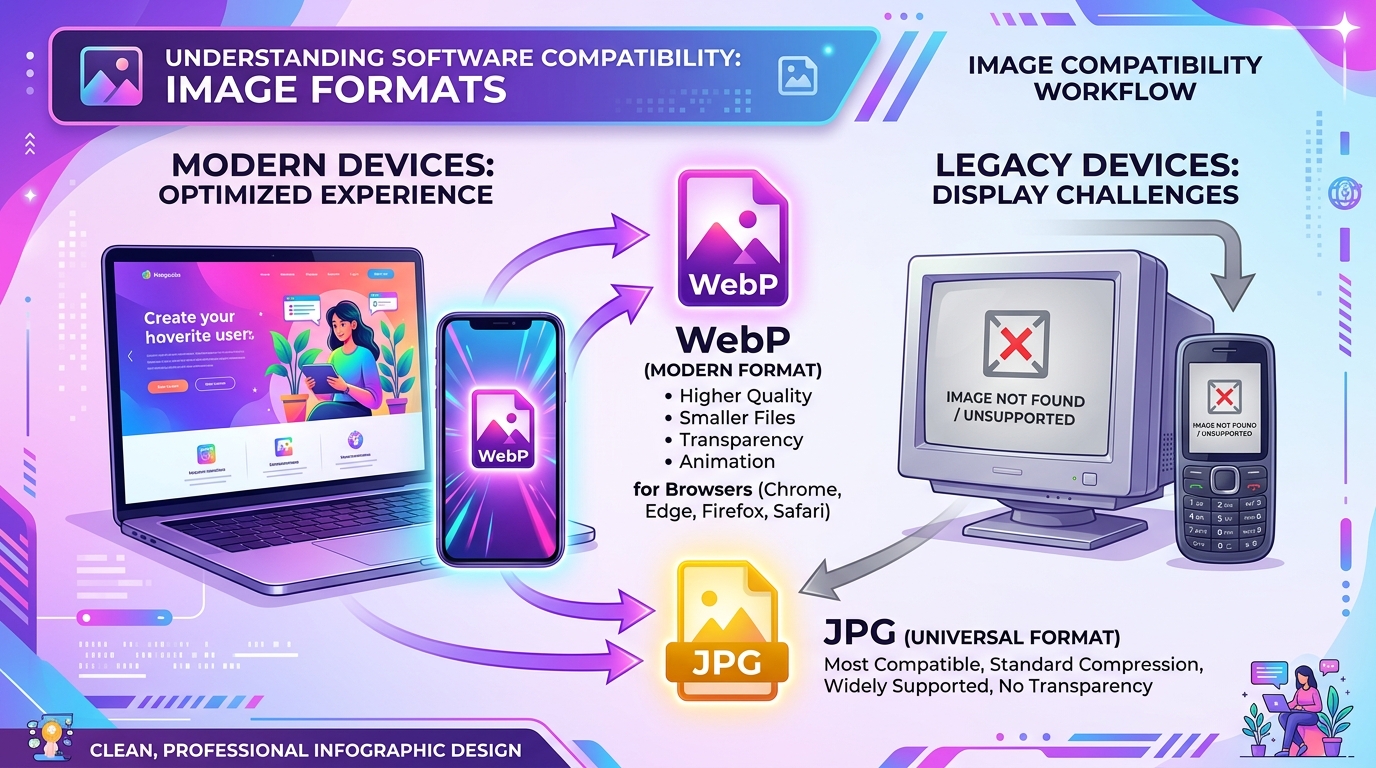
While WebP is the undisputed king of web delivery, JPG remains the undisputed king of universal software compatibility. If a system has a screen, it can render a JPG.
When You MUST Convert to JPG
Despite the bandwidth savings, there are several strict scenarios where maintaining an image in WebP format is simply not viable, and you must utilize a WebP to JPG Converter.
1. Professional CMYK Printing
WebP was engineered specifically for the web, which operates strictly on the RGB (Red, Green, Blue) color model. However, physical commercial printers do not use light to create colors; they use ink. This requires the CMYK (Cyan, Magenta, Yellow, Key/Black) color model. The WebP format literally does not support CMYK color spaces. If you attempt to send a WebP file to a commercial printing press to create a physical billboard or a glossy magazine, the print RIP software will outright reject it. You must convert it to a high-quality JPG or TIFF.
2. Enterprise and Government Portals
If you are applying for a visa, submitting documents to the IRS, or uploading a profile picture to a highly secure enterprise HR portal, the backend systems are often running on legacy codebase architectures from the early 2000s. These upload forms utilize strict MIME-type checking. If the file extension is not explicitly `.jpg` or `.png`, the server will instantly reject the upload.
3. Video Editing Pipelines
Many standard Non-Linear Editors (NLEs) used for video production (such as older versions of Premiere Pro or DaVinci Resolve) struggle to natively decode WebP image sequences smoothly on the timeline. Because JPG decoding is hardware-accelerated on almost all modern GPUs, converting your WebP assets to JPG before importing them into a video editor ensures seamless playback without dropping frames.
Important Warning: Unlike PNG, JPG does not support transparent backgrounds. If you convert a WebP file that has a transparent background into a JPG, the conversion tool will automatically fill the transparent areas with a solid color (usually white or black). If you need to preserve transparency, you must convert the WebP to a PNG instead.
How to Avoid "Generation Loss" During Conversion
The biggest danger of converting WebP to JPG is the phenomenon known as "generation loss."
Remember that both WebP and JPG are lossy formats—meaning they discard visual data to keep file sizes small. When a high-resolution raw photograph was originally converted to WebP by a web server, data was lost. If you take that WebP and convert it into a JPG, you are running a lossy algorithm on top of an already lossy image.
If you use a low-quality converter, this double-compression will result in horrific visual artifacts. Colors will band, edges will become blocky, and text will look blurry. To avoid this, you must ensure that your converter tool is set to export the JPG at 95% to 100% maximum quality. Because the file has already been compressed once, your primary goal during conversion is preserving the remaining pixels, not shrinking the file size further. (If you need to shrink the resulting JPG, you can use a dedicated Image Compressor with intelligent perceptual algorithms later).
Frequently Asked Questions (FAQ)
1. Can I just rename the .webp extension to .jpg?
Absolutely not. Changing the text of the filename extension does not change the underlying binary structure of the file. If you rename a `.webp` to `.jpg`, your operating system might try to open it using a JPG decoder, but the software will instantly crash or display a corrupted file error because the internal data structure is completely different. You must use software to actually transcode the binary data.
2. Is it safe to convert private images using online tools?
It depends entirely on the tool. Many low-quality online converters upload your image to their server, process it, and keep a copy in their database to sell to data brokers. You should only use high-quality tools that explicitly state they utilize client-side processing (where the conversion happens entirely within your own browser) or immediately delete the file from the server after the download is complete.
3. Will WebP completely replace JPG in the future?
It is highly unlikely. While WebP has largely conquered web delivery (the vast majority of images served on modern websites are WebP), JPG is far too deeply entrenched in offline systems, digital cameras, and print workflows to ever be completely eradicated. Furthermore, newer formats like AVIF and JPEG-XL are already threatening to replace WebP on the web.
Conclusion
The introduction of the WebP format was an absolute blessing for internet infrastructure, saving massive amounts of bandwidth and speeding up global page load times. However, for the end-user trying to use those images offline, it introduced a massive headache of incompatibility.
Understanding the underlying mechanics of these file formats is crucial for any modern digital worker. When you need to embed an image on a website, embrace WebP. But when you need to send an asset to a commercial printer, upload a headshot to a legacy government portal, or import graphics into a video editor, you need the bulletproof reliability of the 1992 standard. Bookmark a high-quality WebP to JPG Converter, export at maximum quality to avoid generation loss, and never let an "Unsupported File Format" error slow you down again.