

Introduction to Diff Tools
Writing is rarely a solitary, one-draft process. In modern professional environments, a single document often passes through multiple hands, enduring countless revisions, edits, and feedback loops. Keeping track of what changed between Draft 3 and Draft 4 can quickly turn into an administrative nightmare. This is where text comparison utilities—often referred to as "diff tools" by software engineers—become an absolute necessity for anyone managing written content.
Historically, finding the differences between two documents meant printing both out, placing them side-by-side, and reading line by line with a highlighter. This manual approach is not only agonizingly slow but highly prone to human error. A single changed word, a missing comma, or an altered financial figure can easily slip past a tired editor's eyes.
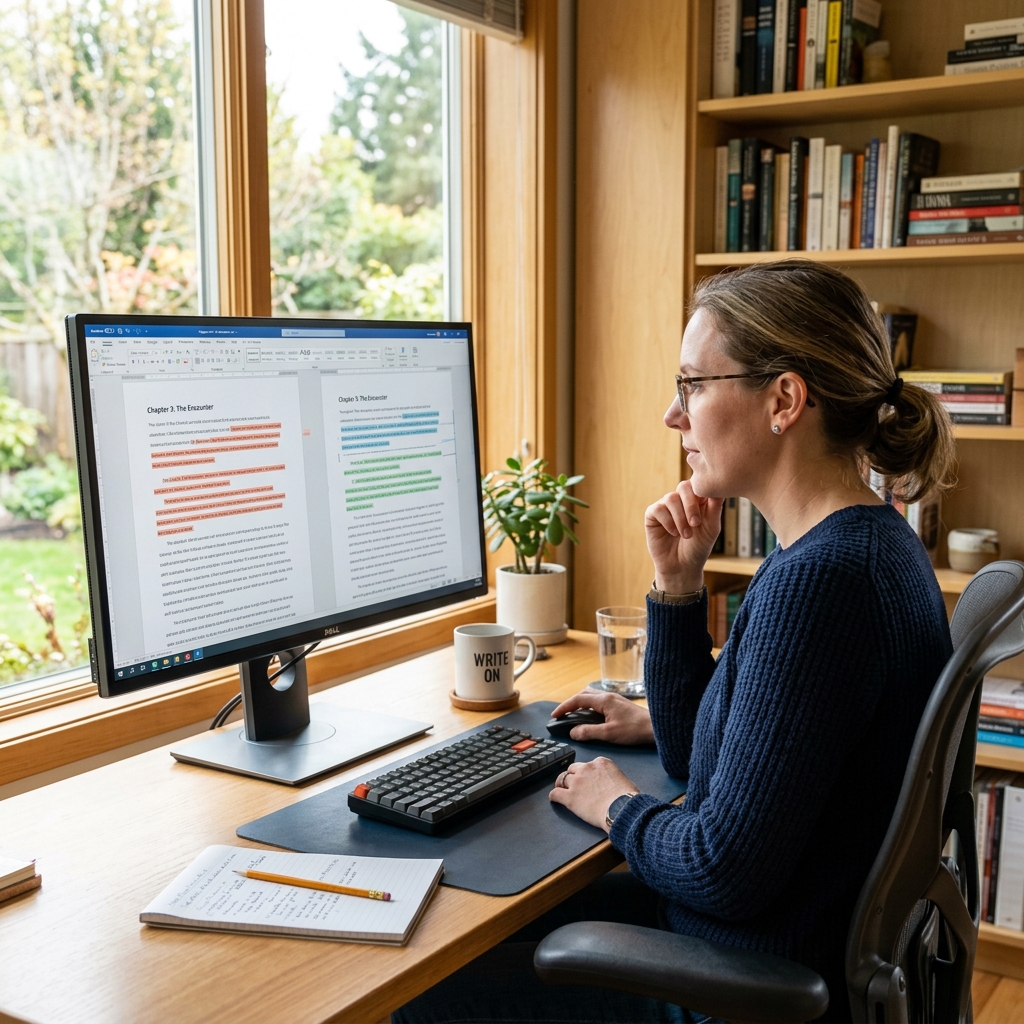
Online text comparison utilities solve this problem instantly. By pasting the original text into one panel and the revised text into another, the tool algorithmically scans both bodies of work and visually highlights insertions, deletions, and modifications. Understanding how to leverage these tools effectively can transform hours of tedious proofreading into a task that takes mere seconds.
Case Study: The Legal Contract Dilemma
Imagine an independent contractor negotiating a massive service level agreement with a corporate client. The initial contract was sent over, heavily marked up with revisions, and sent back. After a week of email exchanges, the client sends over the "final" clean copy for a signature. There are no tracked changes turned on, and the document is forty pages long.
How can the contractor be absolutely certain that no subtle, unfavorable clauses were slipped into the final version? Reading all forty pages manually against the previous draft is a tremendous risk. By utilizing a secure text comparison utility, the contractor can paste the text from their last approved version against the text of the new final document. Within milliseconds, the tool flags that a liability clause on page 28 was subtly altered from "gross negligence" to just "negligence."
In this scenario, a simple web utility just saved the contractor from a massive legal vulnerability. This exact workflow applies to academic advisors checking thesis revisions, SEO managers verifying content updates from freelance writers, and developers ensuring documentation matches the current codebase.
How Text Comparison Algorithms Actually Work
The magic behind most modern text comparison tools is an algorithm known as the Longest Common Subsequence (LCS) problem. Instead of simply checking if Word 1 in Document A matches Word 1 in Document B, the algorithm maps out the longest unbroken string of identical characters or words that both documents share.
Once the core matching sequence is established, everything that falls outside of that sequence is categorized as either an insertion (text present in Document B but not A) or a deletion (text present in Document A but not B). This allows the tool to maintain alignment even if massive paragraphs were added or removed in the middle of the document.
Understanding this helps you realize why minor formatting differences—like an extra space or a different paragraph break—might sometimes cause a tool to highlight a whole sentence as changed. The algorithm is incredibly strict. To counter this, many advanced utilities offer settings to ignore whitespace or ignore case, focusing strictly on the substantive semantic changes.
Preventing Plagiarism and Duplicate Content
For content marketers and SEO professionals, text comparison is the first line of defense against duplicate content penalties. Search engines like Google actively penalize domains that host large amounts of copied text. If you manage a team of freelance writers, ensuring their submissions are highly original is paramount to your site's health.
When an article is submitted, running it through a text comparison tool against existing pages on your site or suspected source material instantly reveals structural copying. Even if a writer attempts "article spinning"—swapping out adjectives using a thesaurus while maintaining the exact same sentence structure—a robust comparison tool will highlight the overwhelming structural similarity.
If you are working with large lists of keywords or meta descriptions, combining this strategy with a Word Counter and Density Analyzer ensures that your content remains both original and perfectly optimized for your target search terms.
Comparing Code vs. Comparing Prose
It is worth noting that comparing natural language (prose) is slightly different from comparing programming languages. Developers have relied on Git and terminal-based diff tools for decades. Code comparison requires strict adherence to syntax, indentation, and brackets. A single misplaced semicolon can crash an application.
When comparing prose, the exact line-by-line strictness is less critical, but the readability of the comparison interface becomes much more important. A good prose comparison tool will highlight changes at the word or character level, rather than just highlighting an entire block of text because one comma was removed. When evaluating a tool for writing, look for "word-level diffs" rather than "line-level diffs."
If your work involves managing JSON payloads or structured data instead of standard paragraphs, a dedicated JSON Formatter and Validator is far more appropriate, as it will highlight structural errors rather than just text mismatches.
Expert Tips for Document Version Control
1. Establish a strict naming convention: Never name a file "Final_Draft.docx". It will inevitably become "Final_Draft_v2_ReallyFinal.docx". Use date stamps and clear version numbers, such as `Project_Name_v1.0_2026-08-18.docx`. This guarantees that when you run a text comparison, you know exactly which file is the baseline and which is the revision.
2. Clean formatting before comparing: If Document A was written in Microsoft Word and Document B was drafted in a plain text editor, invisible formatting characters might trigger false positives in your comparison tool. Paste both documents into a plain text editor first to strip the formatting, then run the comparison on the raw text.
3. Save the diff reports: In highly regulated industries like finance or healthcare, maintaining an audit trail of changes is legally required. Many advanced comparison tools allow you to export the "diff view" as a PDF. Save this report alongside the final document to prove exactly what was modified during the revision cycle.
Integrating Diff Tools into Collaboration Workflows
While modern cloud processors like Google Docs offer built-in "version history," relying on these closed ecosystems is not always feasible. You may receive offline files from external vendors, or work in an environment where cloud storage is restricted due to security protocols.
In these asynchronous workflows, independent text comparison utilities bridge the gap. By establishing a standard operating procedure where team members must run a diff check before pushing an update to the master repository, you drastically reduce the chances of accidental deletions. It forces the editor to actively review their own changes before asking someone else to do so.
Organizations serious about content integrity often refer to the Web Content Accessibility Guidelines (WCAG) to ensure that their revision processes do not accidentally introduce formatting that breaks screen readers. Verifying clean text structure through comparison tools is a vital step in maintaining this compliance.
The Future of AI-Assisted Editing
The landscape of text comparison is rapidly evolving. We are moving beyond tools that simply identify *what* changed, toward AI-driven utilities that can explain *why* it changed. Advanced models can now analyze a diff report and summarize the tonal shift, indicating that "Version B is 15% more formal and removes passive voice."
Despite these advancements, the core necessity of the foundational diff algorithm remains. Artificial intelligence is prone to hallucination; having a deterministic, mathematical tool that shows you the exact character-level differences provides an essential layer of ground truth that algorithms cannot override.
Embracing these tools today prepares your workflow for the complexities of tomorrow. Mastering version control and text comparison is not just an administrative chore; it is a foundational skill for any serious professional communicating in the digital age.
Troubleshooting Common Comparison Issues
A common frustration is pasting two highly similar documents into a tool and seeing the entire interface light up red, indicating that everything is different. This almost always points to a hidden encoding issue or a line-ending mismatch. Windows computers use a different invisible character sequence to denote a new line (CRLF) than macOS or Linux machines (LF). If one document was saved on a Mac and the other on a PC, a strict comparison tool will flag every single line as modified. Look for a setting in your utility to "ignore line endings" to resolve this instantly.
Another issue is large blocks of text shifting. If a single paragraph was moved from page 1 to page 10, basic tools will register it as a massive deletion on page 1 and a massive insertion on page 10. More sophisticated tools offer a "detect moved blocks" feature, which helps clarify that the text wasn't rewritten, merely relocated.
Frequently Asked Questions (FAQ)
Do text comparison tools store the text I paste into them?
It varies by provider. The most secure utilities perform the comparison entirely client-side using JavaScript within your browser, meaning your text is never sent to a remote server. Always read the privacy policy before pasting highly confidential information like medical records or unreleased source code into an online tool.
Can these tools compare PDF documents directly?
Some advanced tools can, but standard text comparison utilities require raw text. To compare PDFs, it is usually necessary to extract the text from both documents first, either via a direct copy-paste or by using an OCR (Optical Character Recognition) utility, and then pasting the raw text into the comparison tool.
What is the difference between line-level and word-level comparison?
Line-level comparison highlights the entire sentence or line if even a single character changes. This is standard for programming code. Word-level comparison isolates the exact word or character that was modified within the sentence, which provides a much cleaner and easier-to-read interface for editors working with prose.
Is there a limit to how much text I can compare at once?
Most free online utilities impose a character or word limit to prevent server overload, typically around 10,000 to 50,000 words. For massive documents like full-length novel manuscripts, you may need to utilize desktop software or split the document into chapters before running the comparison online.