
Key Takeaways
- IP Address Mechanics: An Internet Protocol address serves as your digital home address, exposing geographical location and Internet Service Provider details to every website you visit.
- Tracking and Profiling: Advertisers, data brokers, and malicious actors utilize exposed IPs to build extensive profiles of your online behavior, compromising personal privacy.
- VPN Functionality: Virtual Private Networks encrypt your traffic and mask your real IP address by routing your connection through secure, remote servers.
- Comprehensive Defense: Combining a reliable VPN with secure browsers, tracker blocking, and robust operational security creates a formidable barrier against digital surveillance.
- Network Vulnerabilities: Public Wi-Fi networks present severe risks for unencrypted traffic, making IP masking and data encryption mandatory for basic safety.
What is an IP Address and Why Does It Matter?
Every single device connected to the internet requires a unique identifier to send and receive data. This identifier is your Internet Protocol (IP) address. You can think of it as the return address on a physical envelope. When you type a website URL into your browser, your device sends a request out into the digital ether. The receiving server needs to know exactly where to send the website data back to, and your IP address provides that exact destination. Without this fundamental mechanism, the internet as we know it would cease to function entirely.
While the technical utility of an IP address is clear, the privacy implications are massive. Your IP address is not assigned randomly. It is issued by your Internet Service Provider (ISP) and is tied directly to your physical geographic location. Anyone who logs your IP address can pinpoint your city, your zip code, and sometimes even your specific neighborhood. They can also identify which ISP you use. When you combine this geographical data with your browsing habits, a very clear and intrusive picture of your identity begins to emerge.
Every website you visit, every image you download, and every video you stream logs your IP address. Server administrators, advertising networks, and data brokers constantly harvest this information. They cross-reference your IP address across thousands of different websites to build a comprehensive profile of your interests, political leanings, medical inquiries, and shopping habits. This level of pervasive tracking happens silently in the background every single time you connect to an unprotected network.
Developers and system administrators often need to inspect the data they send across the web to understand how tracking payloads are structured. If you are analyzing network requests or reviewing encoded tokens that might contain your personal data, utilizing a JWT Decoder can help you unpack the contents of JSON Web Tokens used in modern web authentication. Similarly, developers frequently use a Base64 Encoder to obscure data payloads, which is exactly how some tracking scripts attempt to hide the information they collect about your IP address before sending it back to their servers.
The Real-World Risks of an Exposed IP Address
Leaving your IP address exposed to the public internet carries distinct risks that go far beyond simple targeted advertising. One of the most immediate threats comes from cybercriminals who actively scan blocks of IP addresses for vulnerabilities. If your home network router has outdated firmware, an open port, or a weak administrative password, a malicious actor who discovers your IP address can attempt to breach your local network. Once inside, they can intercept unencrypted traffic, infect your devices with malware, or co-opt your smart home appliances into a botnet. Organizations like CISA constantly warn consumers about the dangers of unpatched edge devices exposed to the public internet.
Another significant risk is denial-of-service attacks. In competitive online gaming, for instance, adversaries will sometimes use network sniffing tools to discover your IP address. They will then flood your home network with garbage data traffic in a Distributed Denial of Service (DDoS) attack, causing your internet connection to lag severely or drop entirely. This tactic forces you offline and gives them an unfair advantage.
Beyond malicious hackers, your own ISP poses a massive threat to your privacy. In many jurisdictions, ISPs are legally permitted to log all of your DNS requests and browsing history. Because they own the infrastructure and assign your IP address, they know exactly who you are and what you are doing online. They frequently sell this highly detailed, anonymized browsing data to third-party marketing firms for profit. The Electronic Frontier Foundation has extensively documented these practices, highlighting how ISPs exploit their position as the gateway to the internet to monetize user data without explicit consent.
If you regularly process sensitive documents that contain network architecture diagrams or IP logs, you must ensure that these files are not leaked or intercepted. If you need to share these files securely but the file sizes are too large for encrypted messaging platforms, a PDF Compress Tool can help reduce the footprint of your documents, making them easier to transmit through secure, bandwidth-constrained channels like the Tor network.
How VPNs Solve the Problem
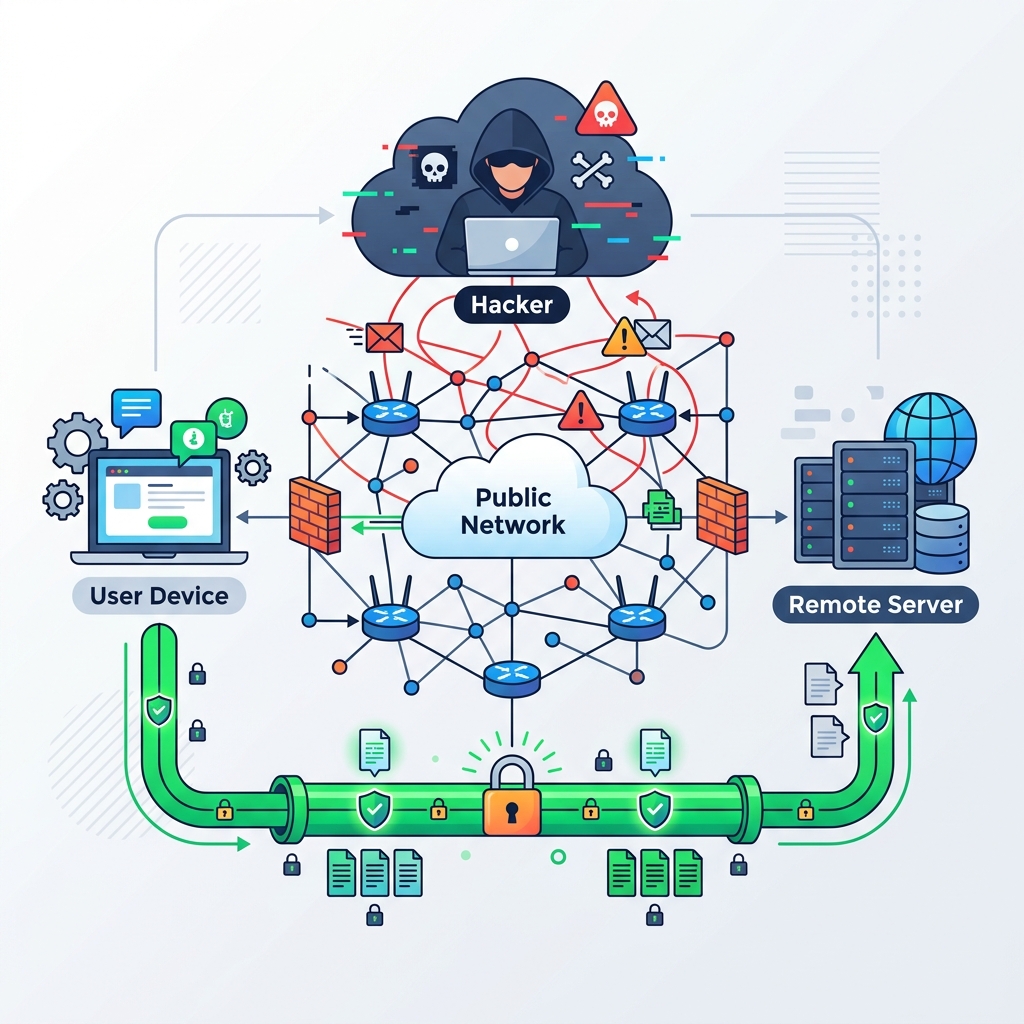
A Virtual Private Network (VPN) is the most effective and accessible tool for protecting your IP address. When you activate a VPN client on your device, it creates an encrypted tunnel between your computer and a server operated by the VPN provider. All of your internet traffic is routed through this encrypted tunnel. The encryption ensures that no one on your local network, including hackers on public Wi-Fi or your own ISP, can see the contents of your web traffic. They can only see that you are connected to a VPN server; they cannot see which websites you are visiting or what data you are transmitting.
When your traffic exits the encrypted tunnel at the remote server, it is then forwarded to its final destination on the internet. Because the remote server makes the request on your behalf, the website you are visiting sees the IP address of the VPN server, not your actual home IP address. If you live in New York but connect to a VPN server in London, every website you visit will believe you are located in the United Kingdom. This mechanism effectively breaks the link between your physical location, your ISP, and your online activity.
The security models underpinning modern VPNs rely on highly complex cryptographic protocols like WireGuard and OpenVPN. These protocols utilize advanced math to ensure data integrity and perfect forward secrecy. Organizations such as OWASP advocate for the use of strong encryption standards in transit to prevent man-in-the-middle attacks. By using a reputable VPN, you are wrapping your raw data in a mathematical vault that is theoretically impossible to crack with current computing power.
Configuring your own privacy solutions sometimes requires writing custom scripts or modifying configuration files. When you are editing complex JSON configuration files for network routing rules, maintaining correct syntax is essential. A JSON Formatter guarantees that your configuration files are perfectly structured and free of syntax errors that could cause your custom proxy or firewall to fail, leaving your IP address exposed by accident.
Beyond VPNs: Other Privacy Technologies
While VPNs are excellent for general-purpose IP masking and encryption, they are not the only tool available. The Tor network provides an even higher level of anonymity for users facing severe surveillance. Tor works by bouncing your encrypted traffic across a random path of relays operated by volunteers around the world. Each relay only knows the identity of the node immediately before it and the node immediately after it. By the time your traffic exits the network, the final website has absolutely no way to trace the connection back to your original IP address. However, this heavy routing process significantly slows down your internet speed, making Tor unsuitable for streaming high-definition video or large file downloads.
Proxy servers are another alternative. A proxy acts as an intermediary between your device and the internet, much like a VPN. When you use a proxy, your IP address is masked because the proxy server makes the requests on your behalf. However, most standard proxies do not encrypt your traffic. Your ISP and anyone snooping on your local network can still see exactly what data you are sending. Proxies are useful for bypassing simple geographic restrictions, but they do not provide the robust security guarantees necessary to protect sensitive data on public Wi-Fi networks.
If you are writing custom privacy policies or analyzing terms of service agreements from different proxy providers, you might need to compare the legal language side-by-side to spot hidden data logging clauses. Using a Text Compare Tool allows you to instantly highlight the exact differences between two blocks of text. You can also use a Word Counter to ensure your own network security reports meet specific length requirements before you submit them to compliance officers.
Best Practices for Digital Hygiene
Hiding your IP address is only one component of a holistic digital privacy strategy. If you use a VPN to mask your location but remain logged into your primary Google or Facebook accounts, those companies will still track your activity across the web. You must adopt a layered defense. Start by using a privacy-respecting web browser equipped with aggressive tracker blocking. Organizations like the Mozilla Privacy Blog frequently publish guides on how to harden your browser against canvas fingerprinting and malicious cookies.
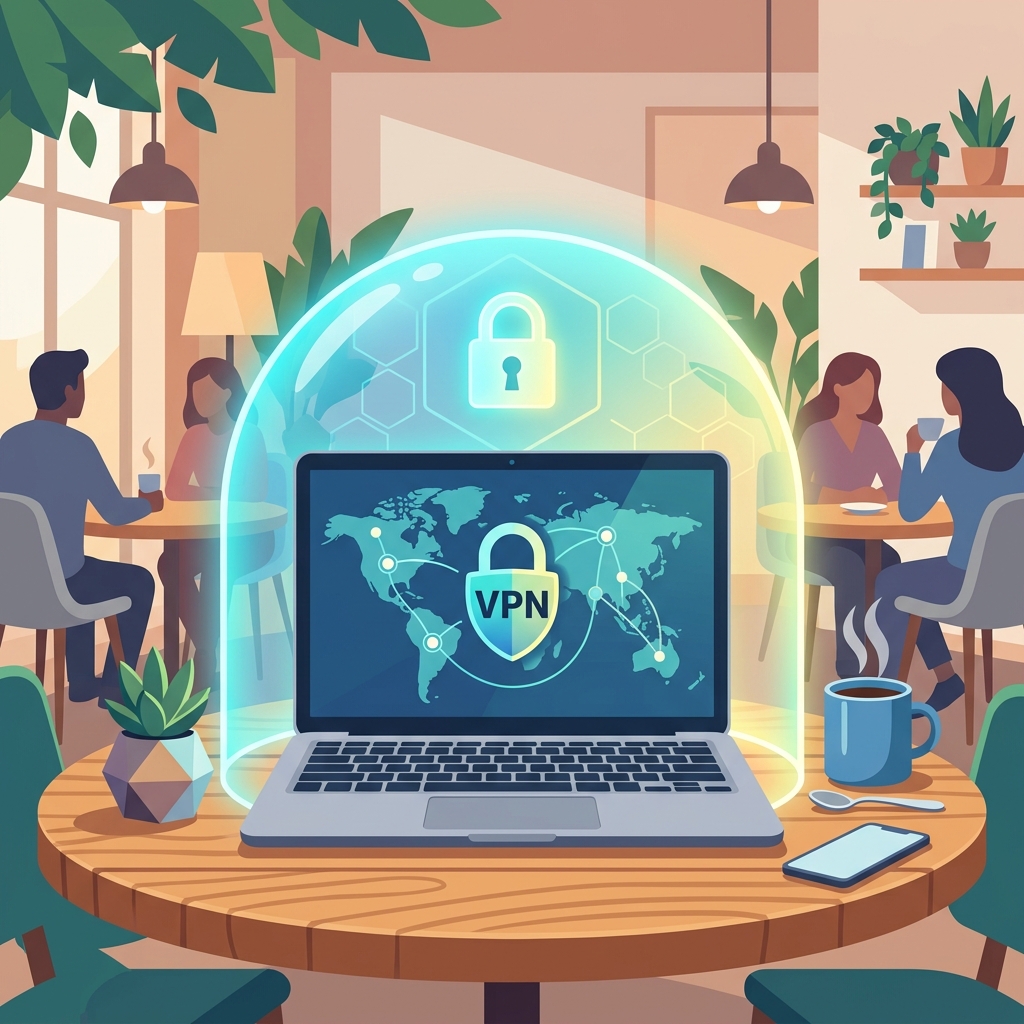
You must also be vigilant about the networks you connect to. Public Wi-Fi at coffee shops, airports, and hotels are notoriously insecure. Cybercriminals frequently set up malicious hotspots with names that mimic legitimate networks. If you connect to one of these "evil twin" networks without a VPN, the attacker can execute a man-in-the-middle attack and intercept your passwords, banking details, and session tokens. You should configure your devices to never auto-connect to open Wi-Fi networks, and you should always enable a VPN immediately upon establishing a connection. The FBI Internet Crime Complaint Center regularly processes reports from victims who had their identities stolen while using unsecured public networks.
Finally, ensure that all of the software running on your devices is fully updated. A VPN cannot protect you if your operating system contains a known vulnerability that allows an attacker to execute code remotely. Software updates frequently patch severe security flaws discovered by researchers at NIST and other security institutions. Combine a masked IP address, encrypted traffic, hardened browsers, and fully patched software to achieve a profound level of digital security that keeps your private data safe from prying eyes.
Frequently Asked Questions (FAQ)
Does an incognito window hide my IP address?
No, incognito or private browsing modes do absolutely nothing to hide your IP address. These modes only prevent your browser from saving local history, cookies, and form data on your physical device. Your ISP, the network administrator, and the websites you visit can still see your exact IP address and monitor all of your traffic.
Can a VPN completely guarantee my anonymity?
A VPN provides a massive increase in privacy, but true 100% anonymity is nearly impossible to achieve. While a VPN masks your IP address and encrypts your data in transit, you can still be identified through browser fingerprinting, behavioral analysis, or by logging into services that know your real identity. A VPN is a powerful tool, but it must be combined with good operational security practices.
Is it legal to hide my IP address?
In the vast majority of democratic countries, using a VPN or other technologies to protect your IP address is completely legal. Privacy is a fundamental right, and individuals and businesses use encryption daily to secure their data. However, using a VPN to engage in illegal activities remains a crime regardless of the technology used. Some authoritarian regimes do ban or severely restrict the use of VPNs to maintain control over internet access.
Will hiding my IP address slow down my internet?
Routing your traffic through a remote server and encrypting the data does introduce some overhead, which can cause a slight reduction in speed. However, premium VPN services utilize optimized server networks and modern protocols like WireGuard to ensure this speed drop is negligible. In some specific cases, a VPN might actually improve your speed by bypassing throttling imposed by your ISP.