

Key Takeaways
- Client-Side Processing is Paramount: Utilizing web tools that process data directly in your browser without sending it to a remote server significantly reduces the risk of data interception and breaches.
- Zero-Trust Architecture: Modern web security assumes that no network is safe, advocating for strict access controls, encryption, and continuous verification, principles that are increasingly applied to in-browser utilities.
- Regulatory Compliance: Frameworks like GDPR and CCPA enforce stringent data handling practices. Understanding these helps users identify compliant and secure web tools.
- Local-First Tooling: Preferring utilities like a local Text Compare Tool or Base64 Encoder ensures sensitive code and data never leave your device.
- User Responsibility: While developers build secure tools, users must practice vigilance by checking network activity, validating SSL certificates, and using verified extensions.
1. The Current State of Data Privacy in Web Utilities
In an era where remote work and cloud-based operations dominate the professional landscape, the reliance on web-based utility tools has skyrocketed. From quickly formatting a block of code to converting image files, developers and everyday users alike depend on these accessible web applications. However, this convenience often comes at a steep, hidden cost: data privacy. When you paste proprietary code into a random online formatter or upload a sensitive financial document for compression, what happens to that data?
Historically, web tools were built on a client-server model where data was transmitted over the internet to a backend server, processed, and the result sent back to the user. While effective for computational heavy lifting, this model creates multiple points of vulnerability. Data in transit can be intercepted if encryption protocols are weak, and data at rest on third-party servers is susceptible to data breaches, unauthorized access, and even covert data harvesting by the tool providers themselves.
The introduction of landmark privacy regulations, primarily the General Data Protection Regulation (GDPR) by the European Union and the California Consumer Privacy Act (CCPA), forced a paradigm shift. These frameworks established severe penalties for the mismanagement of personal information, pushing developers to rethink how web utilities handle user data. The most robust solution that emerged from this regulatory pressure is the widespread adoption of client-side processing technologies.
2. Client-Side vs. Server-Side Processing: The Security Divide
To understand the mechanics of data privacy in modern web tools, we must first delineate the fundamental differences between client-side and server-side processing. Server-side processing requires your data to leave your local environment. Whether you are using a PDF editor or a code linter, your files are uploaded to a remote server. Even with HTTPS ensuring the transmission is encrypted, once the data reaches the server, it exists outside of your control. You are entirely dependent on the host's security posture, data retention policies, and organizational integrity. Organizations like OWASP (Open Worldwide Application Security Project) frequently highlight insecure direct object references and exposed cloud storage as top vulnerabilities plaguing server-side architectures.
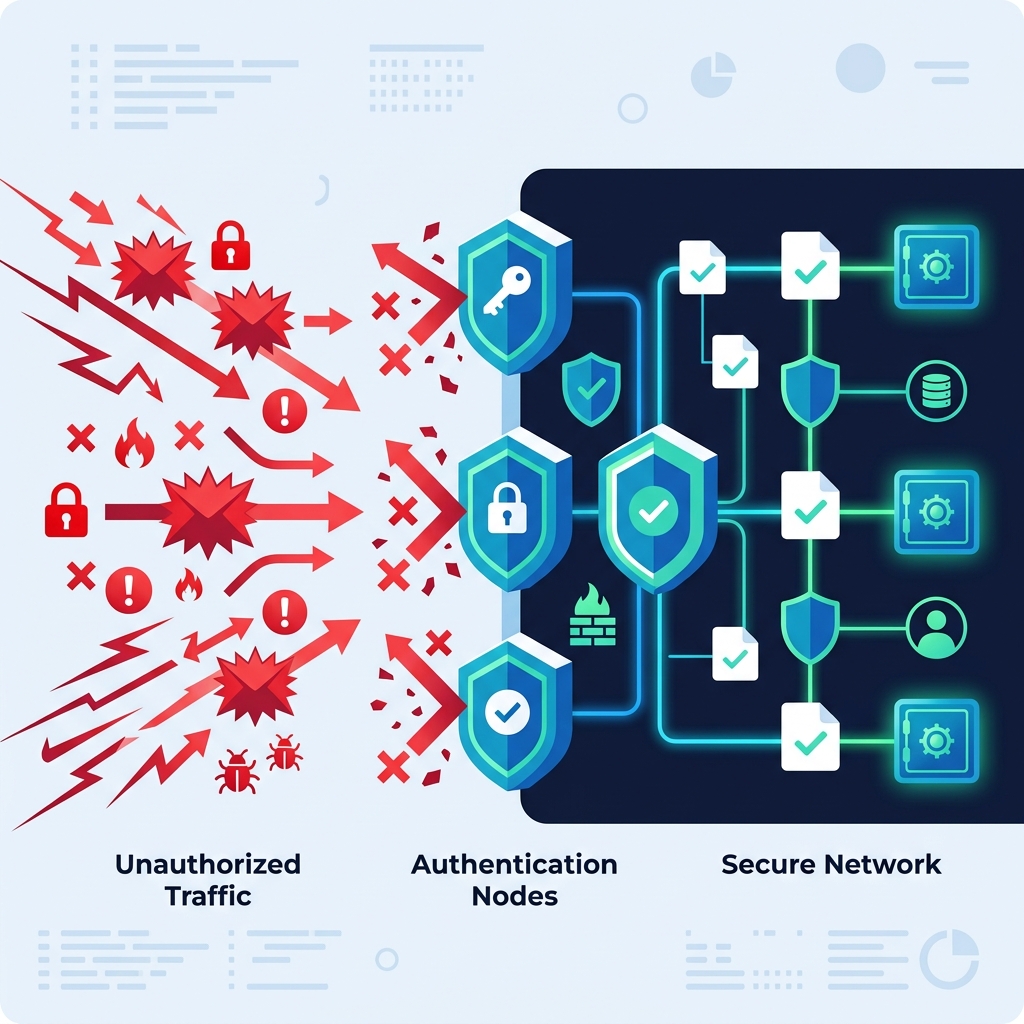
Conversely, client-side processing leverages the computational power of your own device—specifically, your web browser. Thanks to modern web standards, powerful JavaScript engines, and technologies like WebAssembly (Wasm), complex operations can be executed entirely within the browser sandbox. When you use a JSON Formatter that operates client-side, the raw JSON string is processed locally. It never traverses the network. It never touches a remote database. This inherent architectural choice effectively eliminates the risk of server-side data breaches and man-in-the-middle (MitM) attacks.
This distinction is critical for developers handling sensitive API keys, proprietary algorithms, or personally identifiable information (PII). For instance, debugging authentication tokens requires extreme caution. Utilizing a client-side JWT Decoder ensures that your cryptographic signatures and payload data remain strictly on your local machine, mitigating the risk of accidental credential exposure.
3. Implementing Zero Trust in Browser-Based Environments
The concept of Zero Trust was famously formalized by John Kindervag and later aggressively adopted by government and enterprise sectors. The National Institute of Standards and Technology (NIST) defines Zero Trust Architecture (ZTA) as an evolving set of cybersecurity paradigms that move defenses from static, network-based perimeters to focus on users, assets, and resources. At its core, the philosophy dictates: "Never trust, always verify."
How does Zero Trust apply to simple web tools? It fundamentally changes how developers architect applications and how users should interact with them. In a Zero Trust model, a web utility should be designed under the assumption that the network environment is inherently hostile. Therefore, the application must minimize its attack surface. By relying entirely on client-side execution, web tools embody a localized form of Zero Trust. The application does not need to authenticate to a backend server to perform its primary function, nor does it require the user to trust a remote server with their data.
When building tools like an Age Calculator or a Word Counter, the implementation of Zero Trust principles means ensuring that inputs are strictly sanitized locally to prevent Cross-Site Scripting (XSS) attacks, and that local storage mechanisms (like IndexedDB or localStorage) are used judiciously and securely, without inadvertently persisting sensitive user inputs beyond the current session unless explicitly requested.
4. How to Evaluate the Privacy of Your Web Tools
With thousands of free utilities available, discerning which tools respect your privacy and which operate as data-harvesting operations requires diligence. Here is a practical framework for evaluating the security and privacy posture of any web tool before you entrust it with your data.
Check Network Activity via Developer Tools
The most foolproof method to determine if a tool is operating client-side is to inspect its network activity. Open your browser's Developer Tools (usually F12), navigate to the "Network" tab, and perform an action within the tool. If you see outgoing POST requests containing your data payload being sent to an API endpoint, the tool is processing data server-side. If the network tab remains quiet while the tool instantaneously outputs results, it is a safe, client-side application. The Mozilla Developer Network (MDN) provides excellent guides on how to effectively use the Network Monitor for this exact purpose.
Scrutinize the Privacy Policy and Terms of Service
While tedious, reviewing a site's privacy policy is non-negotiable for enterprise use. Look for explicit statements regarding data retention. Does the tool store uploaded files? For how long? Are they used to train machine learning models? Reputable, privacy-focused tools will clearly state, usually in plain English, that they do not store user data and that all processing occurs in the browser. Advocacy groups like the Electronic Frontier Foundation (EFF) consistently advocate for transparent, easily understandable privacy policies as a baseline for digital rights.
Assess File Processing Capabilities
File manipulation tools are particularly risky. When using a PDF Merge Tool or a PDF Compress Tool, you are often dealing with contracts, financial records, or personal identification. Traditional PDF tools require uploading the document to a server, processing it via software like Ghostscript or Poppler, and offering a download link. Modern, secure alternatives utilize JavaScript libraries (like pdf-lib) or Wasm-compiled engines to merge or compress PDFs directly within your browser's memory, guaranteeing zero data exfiltration.
5. Best Practices for Secure Data Handling Online
Even when utilizing secure, client-side tools, users must adopt comprehensive data hygiene practices to maintain absolute security. The human element remains the weakest link in any cybersecurity chain, a fact continuously emphasized by organizations like the Cybersecurity and Infrastructure Security Agency (CISA).
First, avoid copying and pasting live production data, API keys, database credentials, or real customer PII into any web-based tool, regardless of its stated privacy policy. Always mock your data or use sanitization scripts locally before pasting it into a web interface. If you are comparing two configuration files using a Text Compare Tool, ensure that any secrets (like passwords or private keys) are redacted beforehand. While the tool may operate client-side, browser extensions or malware running on your machine could potentially scrape the DOM or clipboard.
Second, leverage browser isolation. Use a separate browser or a hardened profile specifically for web development and utility tasks, completely separate from your personal browsing, banking, and social media. This reduces the risk of cross-site request forgery (CSRF) and limits the blast radius if a malicious script manages to execute. Ensure that this dedicated environment runs minimal extensions, as overly permissive extensions are notorious vectors for data theft.
6. The Future of Privacy-Centric Web Applications
The trajectory of web development is heavily skewing towards privacy by design. As browser capabilities expand, the need for server-side processing for basic utilities will become obsolete. We are already witnessing the rise of complex applications like video editors, CAD software, and machine learning models running entirely client-side via WebGPU and advanced WebAssembly implementations.
Furthermore, the integration of local AI processing will revolutionize web utilities. Instead of sending text to a cloud provider for analysis, future iterations of a Word Counter or text analyzer could employ lightweight, in-browser neural networks to provide sentiment analysis and grammar correction locally, preserving absolute confidentiality. The push for local-first software architecture ensures that the user retains sovereignty over their data, aligning perfectly with global privacy legislation and the foundational principles of a secure internet.
7. Frequently Asked Questions (FAQ)
What does "client-side processing" actually mean?
Client-side processing means that the software code and the calculations required to perform a task (like formatting text, encoding an image, or merging a PDF) execute entirely on your own device's hardware, specifically within your web browser. The data you input never leaves your computer and is never sent over the internet to a remote server.
Are server-side web tools inherently dangerous?
Not inherently dangerous, but they inherently carry more risk. When you use a server-side tool, you are trusting a third party with your data. You must rely on their encryption, their server security, and their internal policies to protect your information from hackers and unauthorized access. Client-side tools eliminate this specific risk vector entirely.
How can I verify if a tool is processing my data locally?
The most reliable method is to disconnect from the internet after loading the tool. If the tool still functions (e.g., you can still format JSON or encode Base64), it is operating client-side. Alternatively, you can use your browser's Developer Tools (Network tab) to monitor for outgoing requests when you initiate an action within the tool.
Does an SSL certificate (HTTPS) guarantee my data is private?
No. HTTPS only encrypts the data while it is in transit between your browser and the remote server, protecting it from being intercepted on the network (e.g., on public Wi-Fi). However, once the data arrives at the server, it is decrypted and processed. An SSL certificate does not protect your data from being stored, misused, or breached on the server side.
Why is it important to use a client-side Base64 encoder or JWT decoder?
Developers frequently work with sensitive authentication tokens, API keys, and cryptographic hashes. Using an online, server-side decoder means transmitting these critical security credentials to an unknown third party. Using client-side alternatives like our Base64 Encoder or JWT Decoder ensures that your most sensitive access controls remain strictly confined to your local environment, preventing catastrophic credential leaks.