
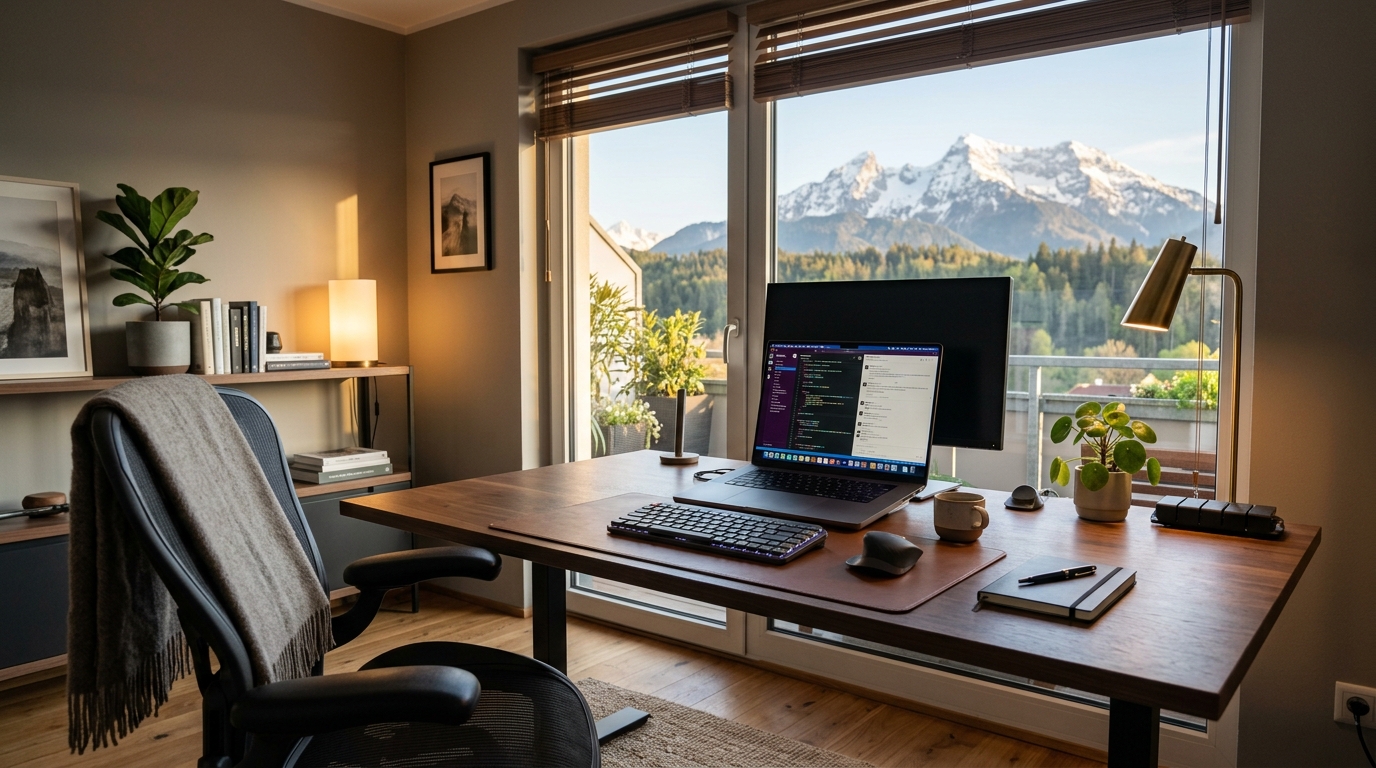
The Remote Work Paradox
The global shift to remote work has completely transformed the modern professional landscape. The benefits are undeniable: zero commute time, the comfort of your own home, and the flexibility to structure your day around your personal life. However, millions of workers quickly discovered the remote work paradox—when the physical boundaries between the office and the home disappear, the psychological boundaries often follow suit.
Without the built-in structure of a traditional office environment, it is incredibly easy for work to slowly bleed into every aspect of your life. You might find yourself answering emails from the couch at 9:00 PM, skipping lunch breaks because you lost track of time, or struggling to focus because your brain associates your workspace with relaxation.
To thrive in a distributed team, you must become your own manager. You are entirely responsible for designing your environment, structuring your communication, and protecting your mental health. This guide provides the most effective, research-backed strategies to dramatically boost your remote work productivity while actually working fewer hours.
1. The Psychology of Dedicated Space
The human brain is an association machine. If you work from your bed, your brain becomes confused. Bed is for sleep and relaxation. When you try to write a complex report while sitting on your mattress, your brain fights you, desperately trying to power down. Conversely, when you try to sleep in that same bed at night, your brain associates the location with the stress of the report, leading to insomnia.
You absolutely must create a dedicated workspace. This does not necessarily mean you need a spare bedroom with a heavy mahogany desk. It simply means designating a specific physical location in your home exclusively for work. It could be a small desk in the corner of the living room or even a specific chair at the kitchen table.
When you sit in this specific location, you are "at work." When you step away from this location, you are "at home." This physical boundary is crucial for helping your brain transition into a state of deep focus and, just as importantly, transition out of it at the end of the day.

2. Ergonomics & Necessary Tech Upgrades
Working from a laptop on the sofa might be comfortable for 30 minutes, but doing it for 40 hours a week is a guaranteed path to chronic back pain, neck strain, and carpal tunnel syndrome. Investing in your physical setup is not a luxury; it is a necessity for long-term productivity.
The Non-Negotiables:
- An Ergonomic Chair: You will spend thousands of hours in this chair. It is the single most important investment you can make. Look for adjustable lumbar support and armrests.
- External Monitor: Hunching over a 13-inch laptop screen ruins your posture. Elevate an external monitor so the top third of the screen is at eye level.
- High-Quality Audio/Video: In a remote environment, your webcam and microphone are your primary tools for professional presence. A grainy camera and a laptop microphone that picks up background noise instantly degrade the perceived quality of your work.
Additionally, ensure your internet connection is rock-solid. Nothing ruins a client presentation or breaks your flow state faster than a dropped connection or endless buffering.
3. Establishing Hard Boundaries
The biggest danger of remote work is burnout. When you do not have to leave a physical building to signify the end of the day, it is easy to keep working indefinitely. To combat this, you must manufacture an artificial commute.
Your "commute" can be incredibly simple. It might be a 15-minute walk around your neighborhood at 8:00 AM before you sit down at your desk, and another 15-minute walk at 5:00 PM when you log off. This physical transition tells your brain to switch gears.
During working hours, clearly communicate your boundaries to anyone you live with. A closed office door should signify "do not disturb." If you do not have a separate room, wearing noise-canceling headphones can serve as a universal sign that you are in a state of deep focus.
4. Mastering Asynchronous Communication
Many companies transitioned to remote work by simply taking their terrible office habits (like calling unnecessary meetings) and moving them to Zoom. True remote productivity requires shifting toward asynchronous communication—meaning you do not expect an immediate response.
Instead of calling a meeting to review a document, record a 5-minute screencast explaining your thoughts and send it to your team to review on their own time. When asking a question via Slack or Teams, provide all necessary context so the recipient can answer fully when they are ready, rather than engaging in a disruptive, real-time back-and-forth.
Use web-based tools to collaborate efficiently. If you need a colleague to review a block of code or structured data, format it nicely using an Online JSON Formatter before sending it over. If you need them to review a document, check the length with a Word Counter to ensure it is concise. Respecting your colleagues' time by communicating clearly and asynchronously is the hallmark of a great remote worker.
5. Combating WFH Isolation and Burnout
Remote work can be lonely. The casual "watercooler" chats and spontaneous lunches with colleagues are gone. Over time, this isolation can lead to a decrease in motivation and a sense of detachment from the company culture.
You must be proactive about your social health. Schedule regular virtual "coffee chats" with colleagues where work topics are strictly forbidden. More importantly, prioritize your social life outside of work. When you log off at 5:00 PM, leave your house. Go to a gym, meet a friend for dinner, or join a local club. Your home cannot be your office, your gym, your restaurant, and your social club simultaneously without you eventually feeling trapped.
6. Adopting a Flexible but Firm Routine
Working in your pajamas might feel rebellious for the first week, but it quickly signals to your brain that you are in a state of leisure, not professionalism. You do not need to wear a suit, but getting dressed in "real clothes" creates a psychological shift that prepares you for work.
Utilize time management frameworks to structure your solitary hours. The Pomodoro technique is highly effective for remote workers. Use an Online Pomodoro Timer to work in focused 50-minute sprints, forcing yourself to stand up and walk away from your desk during the 10-minute breaks.
Because no one is looking over your shoulder, it is entirely up to you to manage your output. Focus on results, not hours logged. If you can complete all your critical tasks in six highly focused hours instead of eight distracted ones, take the extra two hours to rest. That is the true leverage of remote work.
Frequently Asked Questions (FAQ)
How can I prove to my boss that I am actually working?
The era of "presence equals productivity" is over. The only way to prove you are working is by consistently delivering high-quality results on time. Over-communicate your progress. Send a brief end-of-week summary detailing what you accomplished, what you are blocked on, and what you plan to tackle next week. Proactive communication builds immense trust.
I live in a tiny studio apartment. How do I create a dedicated workspace?
If space is severely limited, you have to rely on contextual cues rather than separate rooms. Use a specific chair that is only for work. When the workday is over, pack your laptop away out of sight. You can also use smart lighting: set the lights to bright, cool white during work hours, and switch them to dim, warm yellow when you log off to signal the transition to personal time.
Is it okay to work from a coffee shop?
Yes, changing your environment can drastically boost creativity and focus, especially for deep work tasks like writing or coding. However, ensure you are practicing good security hygiene. Never do sensitive financial or client work on a public Wi-Fi network without a VPN, and always use strong, unique passwords generated by a Secure Password Generator.
How do I deal with Zoom fatigue?
Zoom fatigue is caused by the intense cognitive load of maintaining constant eye contact and processing slight audio delays. Combat this by proposing "audio-only" meetings where appropriate, allowing you to walk around your room while talking. Also, utilize the "hide self-view" feature, as staring at your own face for hours is highly unnatural and draining.