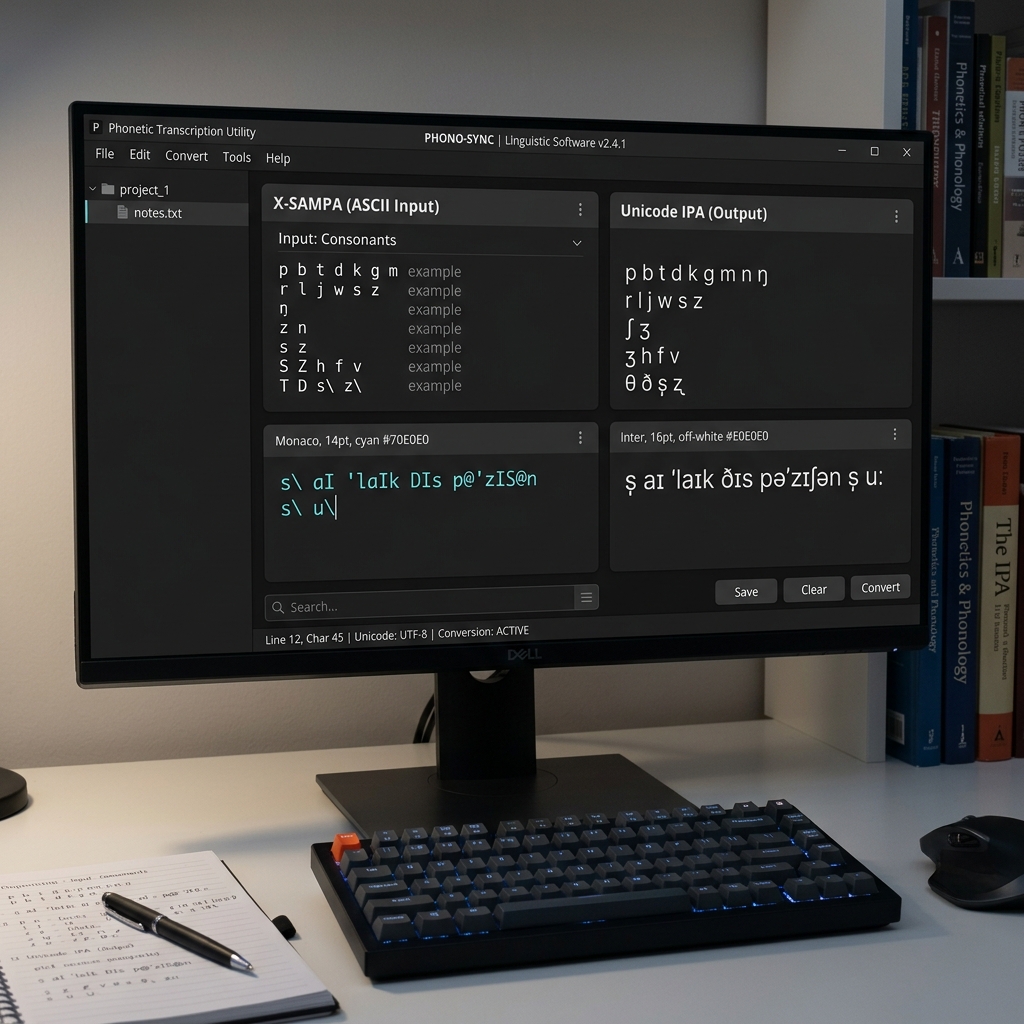
Regional Academia Font Converter — 100% Secure & Private.
X-SAMPA / SAMPA Legacy
Unicode
Source Input
Live Output
What is X-SAMPA / SAMPA Font?
X-SAMPA / SAMPA is a legacy encoding used for Academia regional script typing. Because it maps characters to standard keyboard keys rather than Unicode positions, this tool is required to convert X-SAMPA / SAMPA text into modern Unicode for web display and digital publishing.
Privacy & Offline Support
Our X-SAMPA / SAMPA font converter runs entirely in your browser. None of the text you type or convert is sent to any server. This makes it perfect for private document processing and ensures zero data leaks.
Quick Guide
1
Paste your X-SAMPA / SAMPA text into the source input area.
2
The tool will instantly convert it to standard Unicode below.
3
Click 'Copy Result' to use the Unicode text anywhere online.
4
Use the Vicerversa (Swap) button to convert from Unicode back to X-SAMPA / SAMPA.
Technical Specs
Encoding Engine
Our high-performance engine uses a two-pass mapping system to resolve character swaps and script-specific vowel reordering rules, ensuring that your text remains linguistically accurate after conversion.
Unicode is the industry standard for consistent encoding, representation, and handling of text across most of the world's writing systems. Legacy fonts like X-SAMPA / SAMPA were designed before Unicode adoption.
Verified by Expert Editorial Team
X-SAMPA to IPA Unicode Converter — Phonetic Text Decoder
Instantly convert X-SAMPA ASCII phonetic strings into standard Unicode IPA (International Phonetic Alphabet) symbols. A high-precision linguistic tool for linguists, speech scientists, and phoneticians.
The X-SAMPA to IPA Converter is a specialized linguistic utility engineered for phoneticians, speech scientists, and computational linguists. If you are working with legacy phonetic datasets, speech synthesis (TTS) training data, or academic linguistic corpora encoded in plain ASCII (e.g., using S instead of ʃ or D instead of ð), this tool will instantly convert that X-SAMPA markup into standard, universally readable International Phonetic Alphabet (IPA) Unicode characters.
Before Unicode became the global standard, representing complex phonetic symbols on computers was notoriously difficult. In 1995, John C. Wells at University College London developed X-SAMPA (Extended Speech Assessment Methods Phonetic Alphabet) to solve this. It allowed linguists to type every possible IPA symbol using only the basic 7-bit ASCII characters found on a standard keyboard.
The Linguistic History of SAMPA and X-SAMPA
In the late 1980s, the European Economic Community funded a project to create machine-readable phonetic databases for European languages. This birthed SAMPA. However, SAMPA was inherently limited because it was a language-specific hack — the SAMPA code for English was different than the SAMPA code for French, even when they used the same letters.
To fix this, X-SAMPA (Extended SAMPA) was introduced in 1995. It was a complete, language-independent mapping of the entire International Phonetic Alphabet into 7-bit ASCII. It achieved this by cleverly repurposing uppercase letters, numbers, and punctuation marks. For instance:
Lowercase letters (a, b, p, t) kept their standard IPA meanings.
Uppercase letters represented different phonetic values: S became ʃ (esh, as in "ship"), and T became θ (theta, as in "thin").
Numbers were co-opted for specific vowels: 3 became ɜ (reversed epsilon), and @ became ə (schwa).
The Crucial Role of the Backslash Escape
Because there are over 107 letters and 56 diacritics in the IPA — far more than the available keys on an ASCII keyboard — X-SAMPA heavily relies on the backslash (\) as an escape modifier.
Adding a backslash to a character entirely changes its phonetic meaning, usually indicating retroflexion, implication, or a closely related secondary symbol. For example:
s = s (voiceless alveolar fricative)
s\ = ʂ (voiceless retroflex fricative)
p = p (voiceless bilabial plosive)
p\ = ɸ (voiceless bilabial fricative)
How the Tokenization Engine Works
Parsing X-SAMPA accurately requires more than a simple 1-to-1 character replacement. If a script blindly replaces s with s, it will incorrectly parse s\ as s instead of the correct ʂ.
Our converter uses a custom look-ahead tokenizer designed specifically for linguistic markup:
The engine iterates through the ASCII string and inspects the current character and the next character simultaneously.
If it detects that the next character is a backslash (\) or another recognized modifier (like _ for diacritics), it groups them into a single token (e.g., s\).
It maps that multi-character token directly to its single Unicode IPA equivalent.
This guarantees 100% precision for complex consonant clusters and heavily modified phonetic transcriptions.
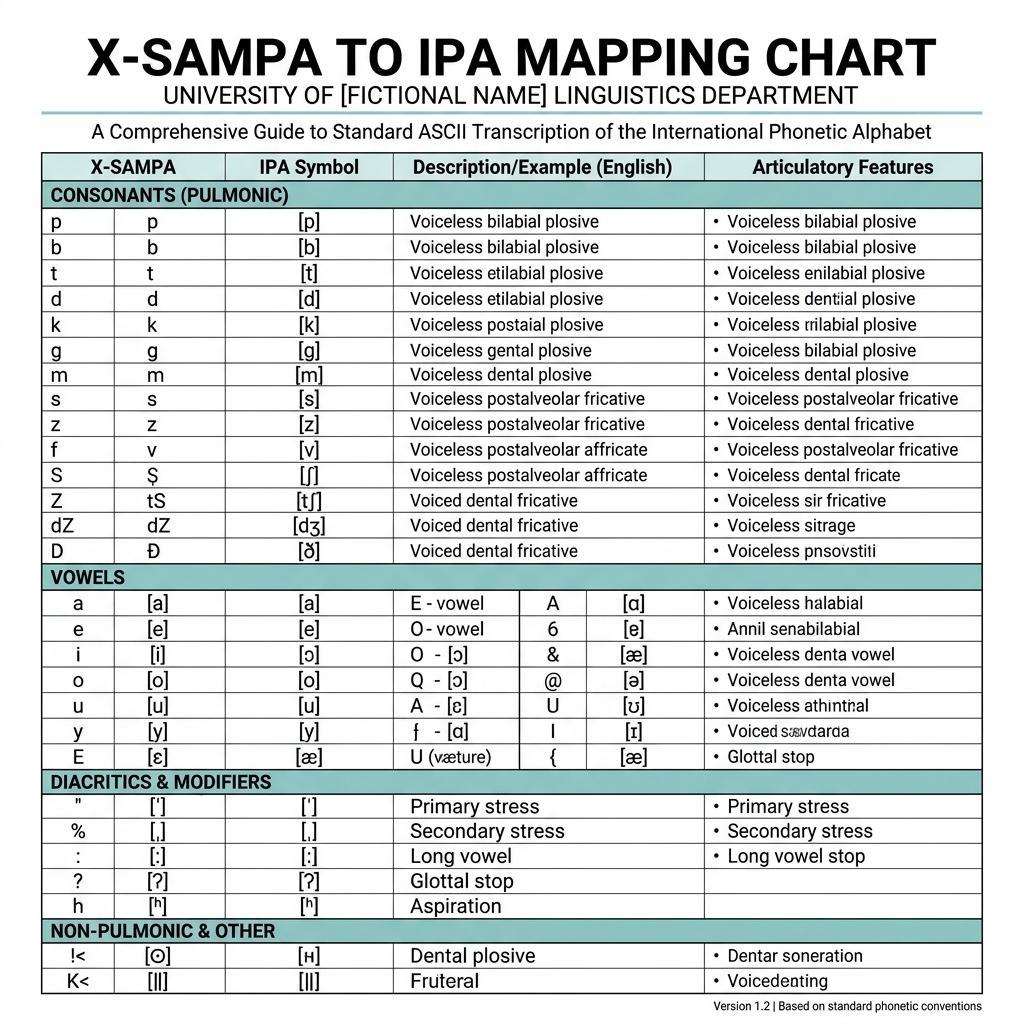
X-SAMPA to IPA Phoneme Mapping Table
Below is a quick reference table showing the mapping of some of the most common non-standard X-SAMPA consonant and vowel substitutions to Unicode IPA.
X-SAMPA (ASCII)
Unicode IPA
IPA Name / Description
@
ə
Schwa (Mid central vowel)
S
ʃ
Esh (Voiceless postalveolar fricative)
Z
ʒ
Ezh (Voiced postalveolar fricative)
T
θ
Theta (Voiceless dental fricative)
D
ð
Eth (Voiced dental fricative)
s\
ʂ
Voiceless retroflex fricative
I\
Ɨ
Close central unrounded vowel
?
ʔ
Glottal stop
r\
ɹ
Alveolar approximant (English 'r')
X-SAMPA Typographic Reference Chart
Academic & Machine Learning Use Cases
While most modern linguists type directly in Unicode IPA using specialized keyboards, X-SAMPA remains highly relevant in computational linguistics and speech technology:
Text-to-Speech (TTS) Training: Many legacy speech synthesis datasets (like the CMU Pronouncing Dictionary and various older corpus databases) rely heavily on ASCII-based phonetic representations. Training modern AI models often requires converting these to standard Unicode IPA first.
Corpus Linguistics: Researchers extracting phonemic transcriptions from 1990s-era university archives will frequently encounter pure X-SAMPA text files.
Keyboard Limitations: Some linguists still prefer typing in X-SAMPA because it allows for rapid touch-typing of complex phonetic transcriptions on a standard QWERTY keyboard without needing to memorize alt-codes or switch keyboard layouts. This tool acts as the final rendering step.
If you are working with older linguistic fonts rather than text-based markup, we also offer a converter for the legacy SIL IPA93 Font Family (Doulos, Sophia, Manuscript).
Quick answers to common questions about this utility.
5 Frequently Asked Questions
What is X-SAMPA and why do linguists use it?
X-SAMPA (Extended Speech Assessment Methods Phonetic Alphabet) is a system created in 1995 that maps the entire International Phonetic Alphabet (IPA) to standard 7-bit ASCII characters. Linguists and computer scientists used it because early computers and programming languages could not natively display or process complex Unicode IPA symbols. It allowed them to type phonetics using a standard QWERTY keyboard.
What does the backslash (\) do in X-SAMPA?
Because there are over 150 IPA symbols but only ~95 printable ASCII characters, X-SAMPA uses the backslash as a modifier to create new symbols. For example, 's' represents the standard 's' sound, but 's\' represents the retroflex 'ʂ' sound. The backslash essentially tells the parser 'the previous letter is a special variant'.
Is X-SAMPA different from SIL IPA93?
Yes, entirely different. SIL IPA93 is a legacy font hack where normal letters look like IPA symbols on the screen, but only if you have the font installed. X-SAMPA is a pure text markup language — the letters themselves are meant to be read as codes (like typing 'S' to mean 'ʃ'). Our tool converts the text codes into true Unicode IPA characters.
Is this converter safe for confidential research data?
Yes. The tokenization and conversion happen entirely on your device via client-side JavaScript. No data is sent to a server. You can safely convert confidential patient speech transcripts or proprietary corporate TTS training data.
Why does my text not convert correctly?
Ensure your text is actually X-SAMPA and not regular SAMPA, Kirshenbaum, or ARPABET. X-SAMPA is case-sensitive (an uppercase 'S' is completely different from a lowercase 's'). Also ensure that any backslashes are properly escaped if you are pasting from a programming language string.