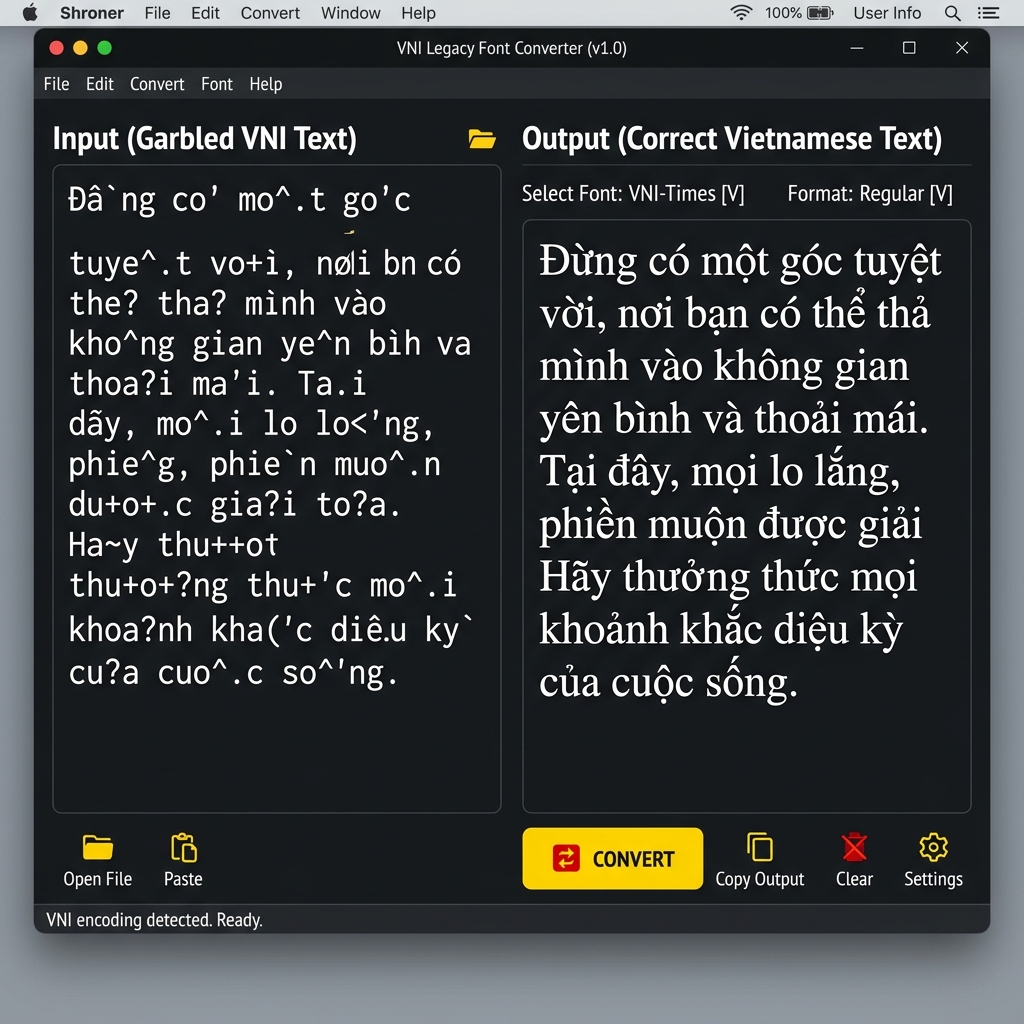
Regional Vietnam Font Converter — 100% Secure & Private.
VNI Legacy
Unicode
Source Input
Live Output
What is VNI Font?
VNI is a legacy encoding used for Vietnam regional script typing. Because it maps characters to standard keyboard keys rather than Unicode positions, this tool is required to convert VNI text into modern Unicode for web display and digital publishing.
Privacy & Offline Support
Our VNI font converter runs entirely in your browser. None of the text you type or convert is sent to any server. This makes it perfect for private document processing and ensures zero data leaks.
Quick Guide
1
Paste your VNI text into the source input area.
2
The tool will instantly convert it to standard Unicode below.
3
Click 'Copy Result' to use the Unicode text anywhere online.
4
Use the Vicerversa (Swap) button to convert from Unicode back to VNI.
Technical Specs
Encoding Engine
Our high-performance engine uses a two-pass mapping system to resolve character swaps and script-specific vowel reordering rules, ensuring that your text remains linguistically accurate after conversion.
Unicode is the industry standard for consistent encoding, representation, and handling of text across most of the world's writing systems. Legacy fonts like VNI were designed before Unicode adoption.
Verified by Expert Editorial Team
VNI to Unicode Converter — Vietnamese Font Decoder
Instantly fix broken Vietnamese text encoded in legacy VNI fonts. Convert VNI strings to standard UTF-8 Unicode for modern browsers, databases, and digital publishing. Fast, offline, and secure.
The VNI to Unicode Converter is a specialized utility designed to recover and modernize legacy Vietnamese documents. If you have opened an old Word document, an archived email, or a database dump from the 1990s and discovered that the Vietnamese text is heavily garbled (e.g., words like "Việt Nam" appearing as "Viéät Nam"), you are dealing with legacy VNI encoding. This tool permanently decodes those legacy byte sequences into standard, universally readable Unicode.
Vietnamese is a complex language typographically. Because it uses the Latin alphabet but requires multiple tone marks and diacritics (often stacked on top of each other, such as in ế or ặ), early computer systems struggled to support it. The VNI format was one of the most popular solutions developed in the pre-Unicode era.
The Origins of VNI Encoding
In the late 1980s and early 1990s, standard ASCII computers only supported 128 characters — barely enough for English. To display Vietnamese, software developers created proprietary "8-bit" font systems. VNI Software Corporation developed the VNI encoding standard, which quickly became the dominant format in southern Vietnam and the overseas Vietnamese diaspora, competing alongside other systems like TCVN3 (ABC) and VISCII.
VNI solved the problem by hijacking the "high-byte" Latin-1 character slots (byte values 128 through 255). It mapped these slots to custom font glyphs representing Vietnamese characters. For example, if the computer requested the byte 0xE9 (which normally prints as é in French), the VNI-Times font would instead visually render the Vietnamese character ử.
This worked perfectly as long as the user had the VNI fonts installed. But because VNI was a visual hack rather than a true encoding standard, the data was brittle.
VNI Encoding vs. VNI Input Method
It is crucial to distinguish between two things that share the same name:
VNI Encoding (The Font Standard): This is the legacy, obsolete 8-bit data format that this tool converts. It stores characters using the high-byte hacks described above.
VNI Input Method (The Typing Style): This is a very much alive and popular way to type Vietnamese using number keys (e.g., typing a1 to get á). Modern keyboards (like Unikey or EVKey) still use the VNI Input Method, but they output modern Unicode text, not legacy VNI encoded text.
Our tool fixes the legacy encoding. It has nothing to do with how you type.
Why VNI Text Turns into Gibberish
The moment you take a VNI-encoded document and attempt to view it on a modern device without the VNI font installed, the visual filter is stripped away. The modern device (like an iPhone or a web browser) reads the raw byte 0xE9 and displays it correctly according to the modern UTF-8 standard: as an é. As a result, the beautiful Vietnamese text reverts to a chaotic mix of European accented characters.
This "Mojibake" (garbled text) is incredibly common when archiving old websites, migrating legacy SQL databases, or attempting to read academic papers published in Vietnam before 2005.
How the Conversion Engine Works
Our VNI to Unicode converter implements a precise, byte-to-character substitution algorithm. Unlike simpler legacy fonts, VNI has a major complication: two-byte sequences.
Because Vietnamese has more combined characters than there were available slots in the 256-byte limit, VNI occasionally used a two-byte sequence to represent a single letter. For example, the capital letter Đ is stored in VNI as the sequence 0xD0 followed by 0xC4.
Our engine handles this elegantly using a greedy sequence-checking tokenizer:
It reads the text and looks ahead to the next byte.
If the two-byte combination matches a known VNI sequence (like Đ or đ), it substitutes the single Unicode equivalent.
If no two-byte sequence is found, it substitutes the standard single-byte VNI map.
The entire process occurs locally in your browser — your data is never uploaded to a server.
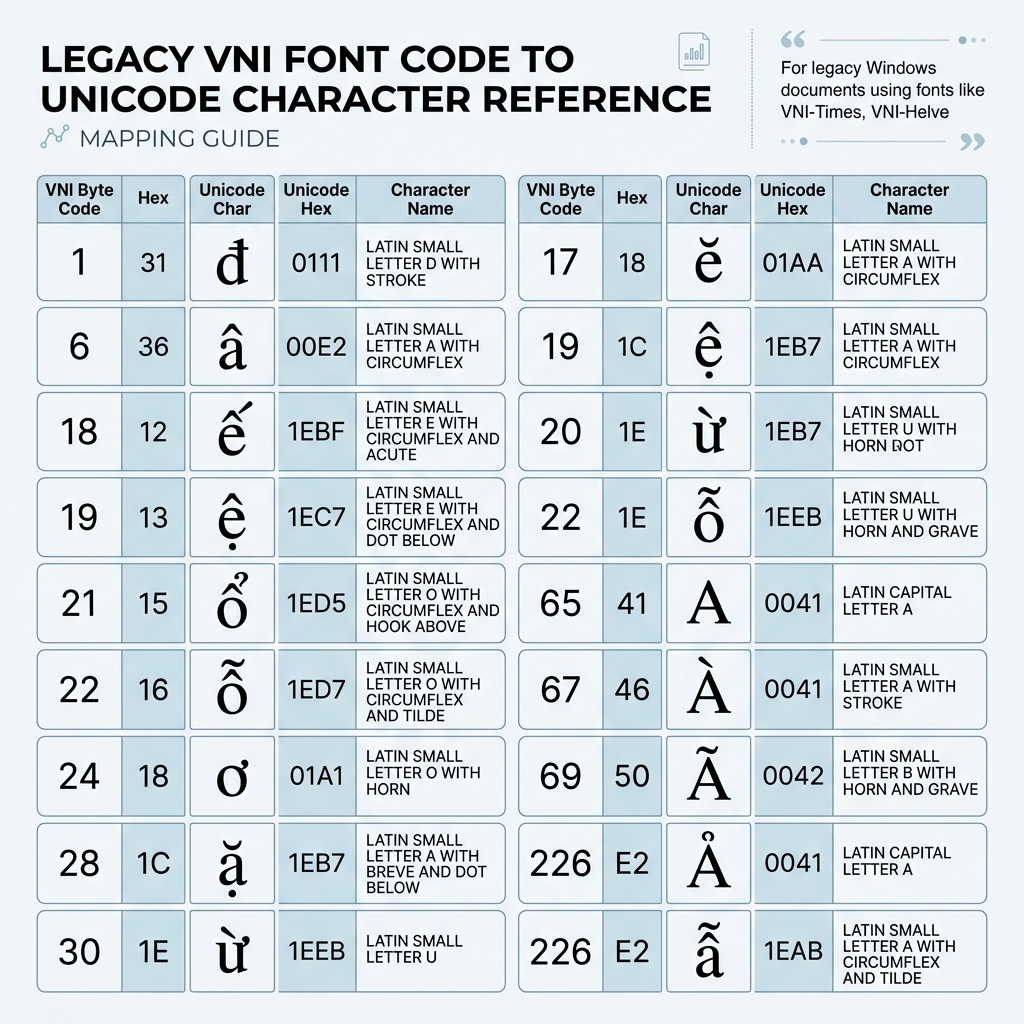
VNI to Unicode Mapping Table
The following table demonstrates how VNI mapped high-byte values to Vietnamese characters, contrasted against modern Unicode.
VNI Byte (Hex)
Garbled (Latin-1) View
True VNI / Unicode Meaning
Unicode Codepoint
0x81
Á
Á
U+00C1
0x8A
Š
Ậ
U+1EAC
0x95
•
ả
U+1EA3
0xA6
¦
Ế
U+1EBE
0xB4
´
ễ
U+1EC5
0xD0 0xC4
ÐÄ
Đ
U+0110
0xF0 0xE4
ðä
đ
U+0111
0xF9
ù
Ỷ
U+1EF6
VNI Typography Reference Chart
Modern Alternatives for Vietnamese
Today, there is absolutely no reason to create new documents using VNI encoding. The Vietnamese government standardized on Unicode in the early 2000s. All modern operating systems, fonts (like Arial, Times New Roman, and Roboto), and web browsers natively support the Vietnamese Unicode blocks without any hacks.
Quick answers to common questions about this utility.
5 Frequently Asked Questions
What is VNI font encoding and why does it break?
VNI encoding is a legacy 8-bit system created in the 1990s to display Vietnamese characters before Unicode existed. It works by hiding Vietnamese characters inside the Latin-1 'high-byte' slots usually reserved for European languages. When you view a VNI document without a VNI font installed, your modern computer tries to read those bytes as standard Latin-1, resulting in broken, garbled European text.
What is the difference between VNI encoding and VNI typing?
VNI encoding is the obsolete data format used to save files. The VNI input method (or VNI typing) is the popular method of using number keys to type Vietnamese diacritics (e.g., typing 'a1' for 'á'). You can still use the VNI input method on a modern keyboard app, which will output standard, modern Unicode text. Our tool fixes the legacy encoding data, not the input method.
Is this converter safe to use for confidential documents?
Yes, absolutely. The conversion process is handled entirely on your device via client-side JavaScript. None of your text, emails, or document contents are transmitted over the internet or stored on our servers.
Does this handle the two-byte VNI characters like Đ and đ?
Yes. The conversion engine uses a look-ahead sequence tokenizer that specifically detects the two-byte sequences VNI used for the letters Đ (0xD0 + 0xC4) and đ (0xF0 + 0xE4), ensuring they convert cleanly to their single Unicode equivalents.
Should I keep using VNI fonts for my websites?
No. VNI is obsolete. The global standard is UTF-8 Unicode, which is natively supported by every modern web browser, mobile phone, and standard font family. You should use this converter to migrate all legacy VNI data to Unicode immediately.